Ronin Cowork
A co-working space for agents.
Explain it to me as…
You've heard of AI agents.
Actually running a few of them is the part nobody explains.
Ronin is where they work. One browser tab, a space each, on a computer you own — sharing the same files and passing work to each other. If you know Zapier, it's the same idea: Zapier doesn't replace your apps, it connects them.
A browser tab full of terminal tiles.
Each tile is an agent, running on a machine you own.
They share the same files, they can hand work to each other, and you can see what all of them are doing on one screen — from a desk or a phone.
A browser front end for tmux.
Any agent CLI in any pane, one working tree, one roster.
Ronin reads terminal output and nothing else — no vendor APIs, no adapters, no per-vendor code paths. Sessions outlive the tab because tmux owns them.
I kept logging into my home computer to check on agents I'd left running. It got old, and when I was out I couldn't check on them at all.
So I put them in a browser tab. Then I added a way to see how each one was doing, because once you have six of them you can't tell.
— Glen
I was SSHing into my home server so my agents could keep working while I was away. It got old. Every time I wanted to check one I opened another terminal, and I couldn't get to any of them when I was out.
So I put the terminals in a browser tab. Mac, phone, anywhere.
Then I added a few things. A way for the agents to work together. A way to see how far along each one is, because with six running you can't tell. And macros — shortcuts for stuff I was typing all the time anyway. Quicker, and the agent knows where to go.
— Glen
I was SSHing into my home server so my agents could keep working while I was away. Every check meant another terminal, and none of it was reachable from outside the house.
So I put the panes in a browser tab. The sessions stay in tmux; the tab is only a view, which is why it can be closed, crashed or opened on a different device without the work noticing.
Then the things that only matter once you're running several at once: a shared file the agents read and write so they coordinate without going through me, per-session progress so I can see who's blocked, and saved instruction sets for the things I was typing constantly.
— Glen
Run six agents and you can't tell which one is stuck.
So each one keeps a short list: what it finished, what it's on, what it's waiting for. Something keeps that list up to date — so you look, instead of asking.
With six running, you can't tell which one needs you.
So each session keeps its own list — what it has finished, what it is on now, and what it is waiting for. A watcher keeps that list current. You don't ask them.
Per-session state, kept current without polling the agent.
Each session maintains its own record: completed work, current leg, and the gate it is blocked at. A watcher process keeps it fresh, so the roster is a read rather than a round-trip to every agent in the grid.
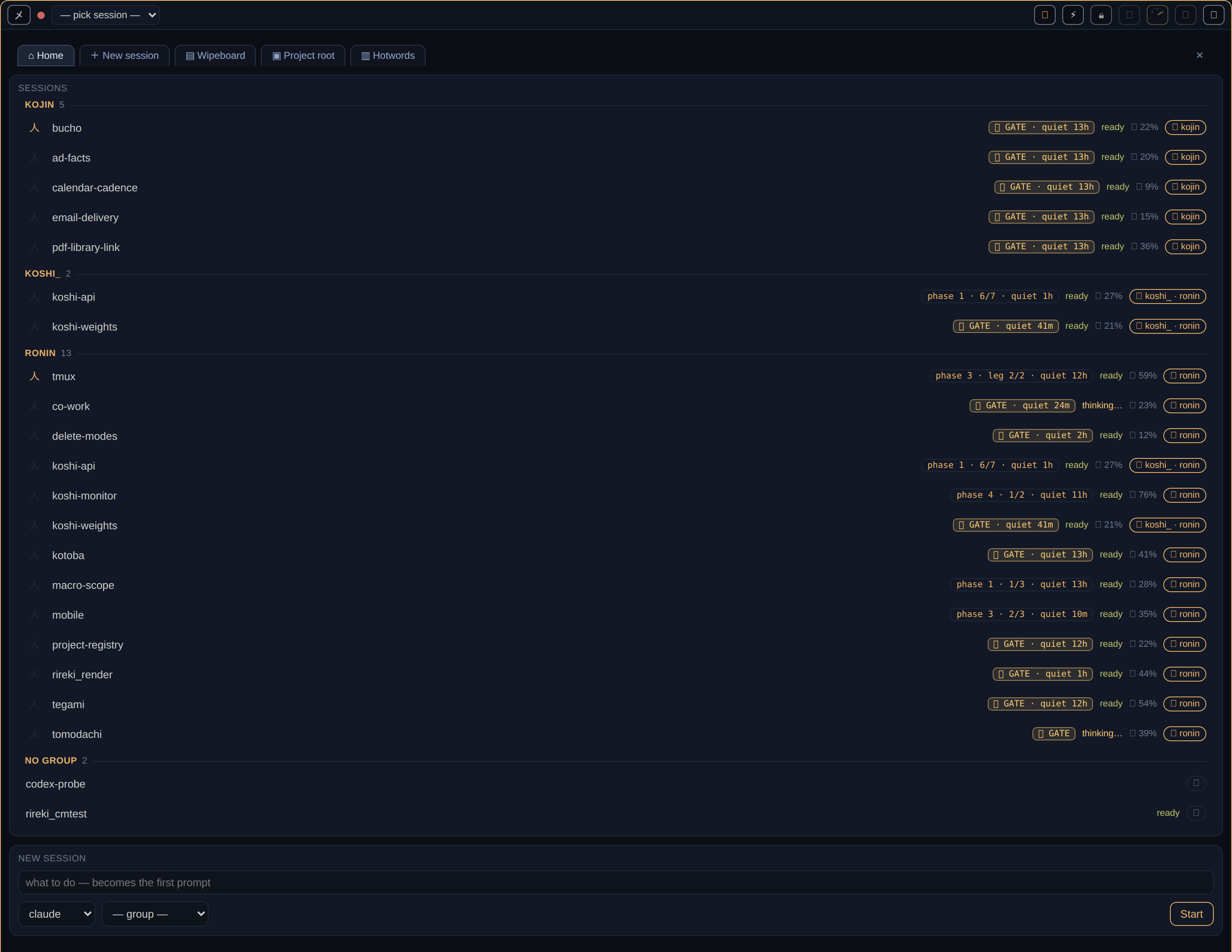
Use any agent you like. Mix them.
Claude in one space, Codex in the next, both working on the same files. Swap whenever you feel like it — nothing has to move, and nothing is set up for one company.
Two vendors, the same files, one browser tab.
Nothing in Ronin depends on which agent you run. Claude in one tile, Codex in the next, Hermes or something you wrote yourself in a third — same machine, same files. Ronin never reaches inside any of them, and when you switch, your work stays where it is.
Two vendors, one working tree, concurrently.
Nothing in Ronin branches on which agent is running. Claude in one pane, Codex in the next, a shell script in a third, same checkout. There is no adapter layer to maintain and therefore none to break when a vendor ships a change.
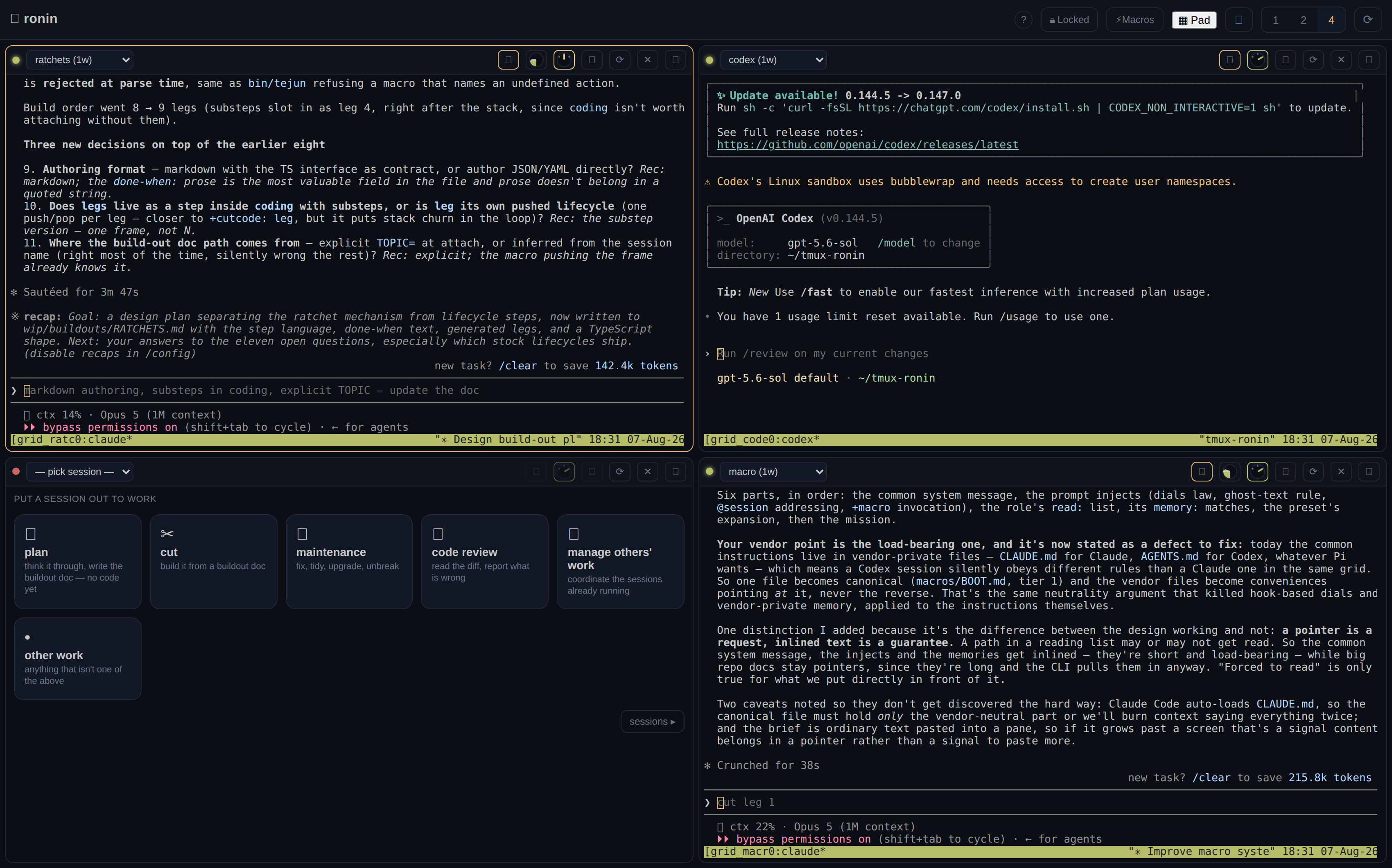
Your agents don't talk to each other. This is where they do.
If you run more than one, you are the go-between: you read what one did, then tell the next about it. Ronin puts them in the same place so they can pass work directly, and so you can watch all of them at once.
You already have the agents. What you don't have is somewhere they can work together.
Run two or three agents on one machine today and they are strangers. They can't see what the others are doing, and you are the only thing joining them up — a tab each, one at a time. Ronin is the thin layer underneath that turns them into a co-working space.
One thin layer over tmux. Nothing above it, nothing below it.
Agents already coexist on a box; what they lack is a shared surface and a supervisor view. Ronin adds exactly that — a shared file surface for handoff, a session roster with per-session state, and a grid over the panes — and deliberately nothing else. The agent, the model and the machine stay yours.
I already use Claude or ChatGPT.
Then you already have an agent, and it runs inside Ronin rather than instead of it. Keep using whichever one you like.
Do I need my own computer for this?
Yes — one you own, or one you rent for a few pounds a month. It doesn't run on ours, and that's the point: your files stay yours.
I use Replit or Lovable.
Those hand you everything at once, which is why they're so quick to start. The catch is that all of it belongs to one company, so leaving means moving everything. This is the other trade: slower to set up, nothing to move.
I just leave my laptop open so it doesn't stop.
That's the thing this was built to fix. Shut the lid — the work carries on, because it was never happening in the browser.
But I already use Claude Code. Or Codex. Or Hermes.
Good — keep using it. That is an agent, and it runs inside Ronin, in a tile. Ronin doesn't replace the one you like; it gives you several at once and lets you tell at a glance which one is stuck.
But Replit and Lovable already do this.
They give you all of it at once, which is the fastest possible start and the reason they're good. The trade is that the space, the agent, the model and the machine all belong to one company, so leaving means moving everything. Ronin is the other trade: slower to set up, nothing to move.
But I already have a DigitalOcean droplet.
Then you have the machine, and Ronin doesn't compete with it. Ronin is what you put on it.
But I just leave my laptop open so the agent doesn't die.
That's the one this was built to stop. Close the lid and the work carries on, because the work was never happening in the browser tab.
I already run Claude Code, Codex or Hermes.
Those are tenants, not competitors. Ronin supplies the pane and the coordination surface; it never supplies the agent, and it has no code path that knows which one you launched.
Replit, Lovable and the hosted builders.
They own all four layers — space, agent, model, machine. Fastest possible start, and the exit cost is a full migration. Ronin owns one layer, so the exit cost is zero by construction rather than by policy.
I have a droplet, a Hetzner box, a homelab.
That's the box layer, and Ronin installs onto it. It isn't an alternative to your host; it's what you run on it.
I run agents on my laptop and keep it awake.
tmux on an always-on host removes the constraint rather than working around it. The browser tab becomes disposable, and the phone becomes a real client instead of a compromise.
Still reading as… everything below changes with this.
Nothing is hidden at any setting — it's the same product, described three ways.
- All your agents in one browser tab. Instead of a window each.
- Close your laptop. They keep working. The work isn't happening in the browser.
- Check on them from your phone. Same tab, same agents, anywhere.
- See who's stuck without asking. One list shows what each one is doing.
- Use whichever agent you like. Swap any time. Your work stays put.
- They can leave notes for each other. So they stop going through you.
- Talk to them instead of typing. If you'd rather.
- It runs on a computer you own. Not ours.
- Several agents at once, each in its own tile. Claude in one, Codex in the next, the same files underneath.
- Any agent. Claude, Codex, Hermes, or something you wrote yourself. Nothing depends on which.
- It works on a phone. Same tab, same sessions.
- Close the lid and nothing dies. The grid is a view. The sessions run on the machine.
- Switch vendors without moving anything. Your files, your history and your setup stay where they are. The tile changes; your work doesn't.
- A wipeboard. One page a set of agents read and write, so they talk to each other instead of through you.
- Macros. Saved instructions you'd have typed anyway —
+forkit: build the login page. - Every tile is recorded. Everything printed, written to disk as it happens.
- Dictation. Talk to a session instead of typing. The audio never leaves the box.
- Each tile is a tmux pane, streamed to the browser. One session per pane, one socket per tile. tmux owns the process; the browser owns nothing.
- Ronin reads terminal output and nothing else. No agent APIs, no vendor private state. That is why any binary that runs in a shell runs here — and why some features are harder than a direct integration would make them.
- Vendor-agnostic by construction, not by adapter. There is no per-vendor code path to maintain or to break.
- Per-session state tracking. Each session keeps what it has finished, what it is on, and what it is blocked by; a watcher process keeps that current without polling the agent.
- A shared file surface for inter-agent handoff. A set of sessions read and write one page — deliberate posting and reading, not a broadcast bus.
- Parameterised macros. Saved instruction sets that expand with arguments and a working directory.
- Full-fidelity tile recording. Everything printed, appended to disk as it happens.
- Dictation via host-side faster-whisper, open weights, on your machine. Audio never leaves it.
- Runs on your hardware. Your files, your remotes, your keys, ordinary directories.
It runs on your computer, not ours.
We don't get your work, because there's nowhere for it to go. What you send to an agent is between you and the company that makes it, exactly as it is today.
Ronin runs on a machine you own, and holds nothing of its own.
No account, no sync, no server of ours it reports to. What leaves is whatever your agent sends to its model — your business with that vendor, on the terms you already agreed with them. Ronin is never in the path.
No account, no telemetry, no egress that isn't yours.
Ronin is a process on your machine with file-backed state. The open build emits nothing by default. The only traffic leaving is what the agent in the tile initiates to its own provider, under your credentials and your agreement with them.
So we don't claim your prompts never leave your box. They do — that's what a model is for, and any product claiming otherwise is describing a setup it doesn't ship. The claim scoped to what we do ship: Ronin is never in the path, and nothing here stops you pointing a tile at a model on the same machine, at which point nothing leaves at all.
- tmux is the truth. The grid is a view. Restart it, upgrade it, close the lid — no agent dies.
- Terminal view only. Never a vendor's private state. It cost us a scrollback feature and a working set of dials to learn.
- Vendor neutral by construction. Claude in one tile, Codex in the next, same working tree.
- Sessions are mortal; files are the memory. Spawn with curated context, distill, kill. The conversation is the one place knowledge rots.
In plain words: the work happens on your computer, not in the browser — so breaking the browser breaks nothing. We only look at what's on the screen, the same as you. Two different companies' agents can work on the same files at once. And long chats get worse, not better, so anything worth keeping gets written down in a file.
tmux is the truth. The real work runs on your machine; the browser is a window onto it. Terminal view only means Ronin reads what an agent prints and never digs into a vendor's internals for more — that costs features, and we'd rather pay it than break every time a vendor changes their mind. Vendor neutral is not "supported": no part of Ronin knows which agent you're running. Sessions are mortal is a working habit — start an agent with what it needs, have it write down what it learned, let it go.
Each of these was bought. Terminal-only cost a scrollback feature and a working set of dials, and the phrasing stays wounded on purpose — a principle that names its price is worth more than one that doesn't. Vendor neutrality is why there is no adapter layer to rot. And session mortality is the operational consequence of context degradation: long-lived sessions accumulate noise faster than signal, so the durable artefact is a file on disk, never the transcript.
Somewhere for your agents to work. That's all it is.
Ronin's scope ends where promises begin.
Ronin's scope ends where promises begin.